

You can automate your startup's back office with AI agents by starting with one job an agent prepares and a person checks, like an overdue-invoice reminder or matching receipts to card charges. Anything that sends a message or moves money waits for a person, and that approval lives in your systems, where the agent can't skip it.
I know how much of startup operations lands on founders: if you already bill customers, the invoices are aging in Stripe while payroll is due Friday. If you're pre-revenue, it's vendor bills, card receipts, and contractor payments instead. Either way, you're probably the one handling it late at night. An agent that preps that work sounds like relief, and it can be, as long as you decide up front what it prepares and what still needs your approval. At MATAX, that's the first decision we'd make with you.
In October, TechRepublic reported on Anthropic's preview of Claude Duet. Anthropic says it flags outstanding invoices in Stripe, drafts payment reminders, and prepares payroll runs in Gusto. Anthropic also says Duet asks for approval before sending emails or executing payments, and blocks moving funds between accounts outright. A launch announcement isn't a track record, but it raises the question to settle before you connect anything to your accounting systems: what can an agent prepare before a person has to approve it?
If you're new to agents, read How to Use AI Agents to Automate Finance Workflows first for the basics.
How do I automate my startup's back office with AI agents?
Pick one workflow and take it through these seven steps, in order, before you automate the rest of your back office operations. I'll use one example the whole way: an agent that spots an overdue invoice and drafts the reminder. If you're pre-revenue and not billing anyone yet, picture the same steps with an agent that matches card receipts to charges and flags the ones that don't fit. Both AI workflows are illustrations, not client stories.
1. Pick one job the agent can prepare and a person can check.
2. Decide where the agent's work stops and a person's decision starts.
3. Give the agent its own identity and limited permissions, with only the access that job needs.
4. Put the approval in the app that sends or pays, where the agent can't skip it.
5. Have one person set up the agent and a different person approve its work.
6. Check any new or changed payee outside the email that asked for it.
7. Decide what happens when nobody answers, and make the answer "stop."
You can start without an internal IT department, as long as someone on your team understands the applications, permissions, and approval controls involved. The decisions are simple. Getting them right depends on system integration: how your systems connect.
Step 1: Which job should an agent take on first?
If you bill customers, accounts receivable (the money customers owe you) is a good place to look. Pick a job where the agent's output is a draft that a person can check against the original record. The overdue-invoice reminder fits: the agent finds the invoice, pulls the customer's payment history, and writes the email. You read the draft next to the invoice, so a wrong amount or contact jumps out before anything leaves your systems.
Leave anything that pays someone for later. The US cyber agency CISA and its international partners put it plainly in their joint guidance on agents: begin with low-risk, non-sensitive work, and never give an agent broad access. Try the reminder on test data first, then on a real invoice while you watch.
If you're pre-revenue, look at accounts payable (the money going out) instead. Matching receipts to card charges, or drafting a note to a vendor whose bill is missing a purchase order number, works the same way.
Step 2: Where does the agent's work stop and yours start?
For your first workflow, draw the line at the first action that reaches another person, changes an accounting record, or moves money. Keep those actions under human approval while you test the process. Later, routine, low-risk actions may qualify for automatic processing if you've established controls, exception handling, and ongoing monitoring.
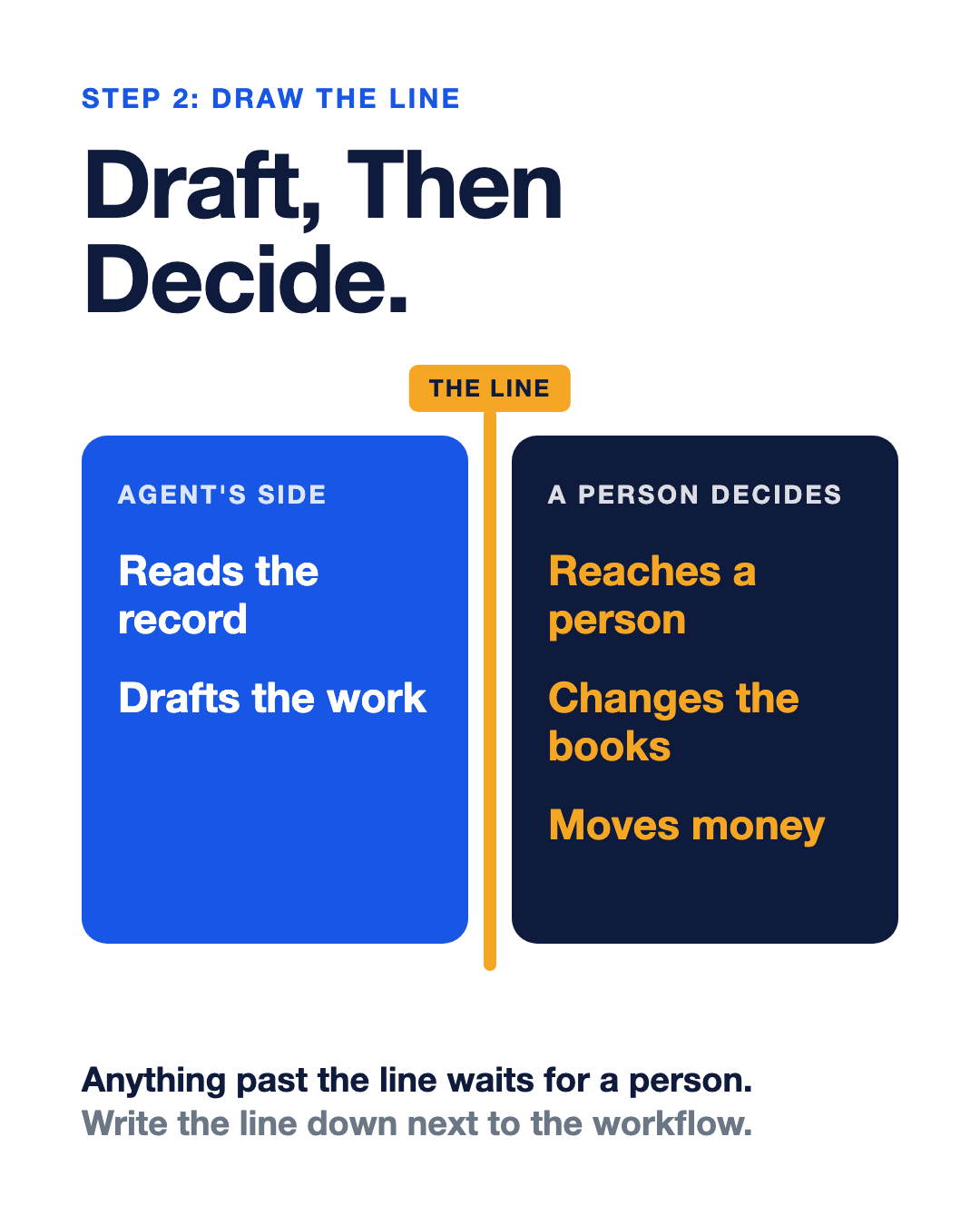
For our reminder, the agent can read the invoice and draft the email, while a named person checks the address and hits send, which means that person approves one message to one customer.
Singapore's government framework for agents treats this line as a choice you make on purpose. Its levels run from "Agent proposes, human operates" up to agents that ask for approval only at critical steps, and it names making a payment as a step that needs a person. For anything involving money, I'd stay at the first level until you've watched the agent work for a while.
Products draw this line differently. Check the settings in the account you use. Stripe says startups using its new Treasury for agents product choose which accounts an agent can reach, whether it can act or only read, and when moving money requires a person's approval.
Step 3: Why shouldn't the agent use your login?
Give the agent its own identity and only the permissions its job requires. Depending on the application, that may mean a dedicated service account or a restricted integration with delegated access, so don't give it your personal password or an unrestricted connection.
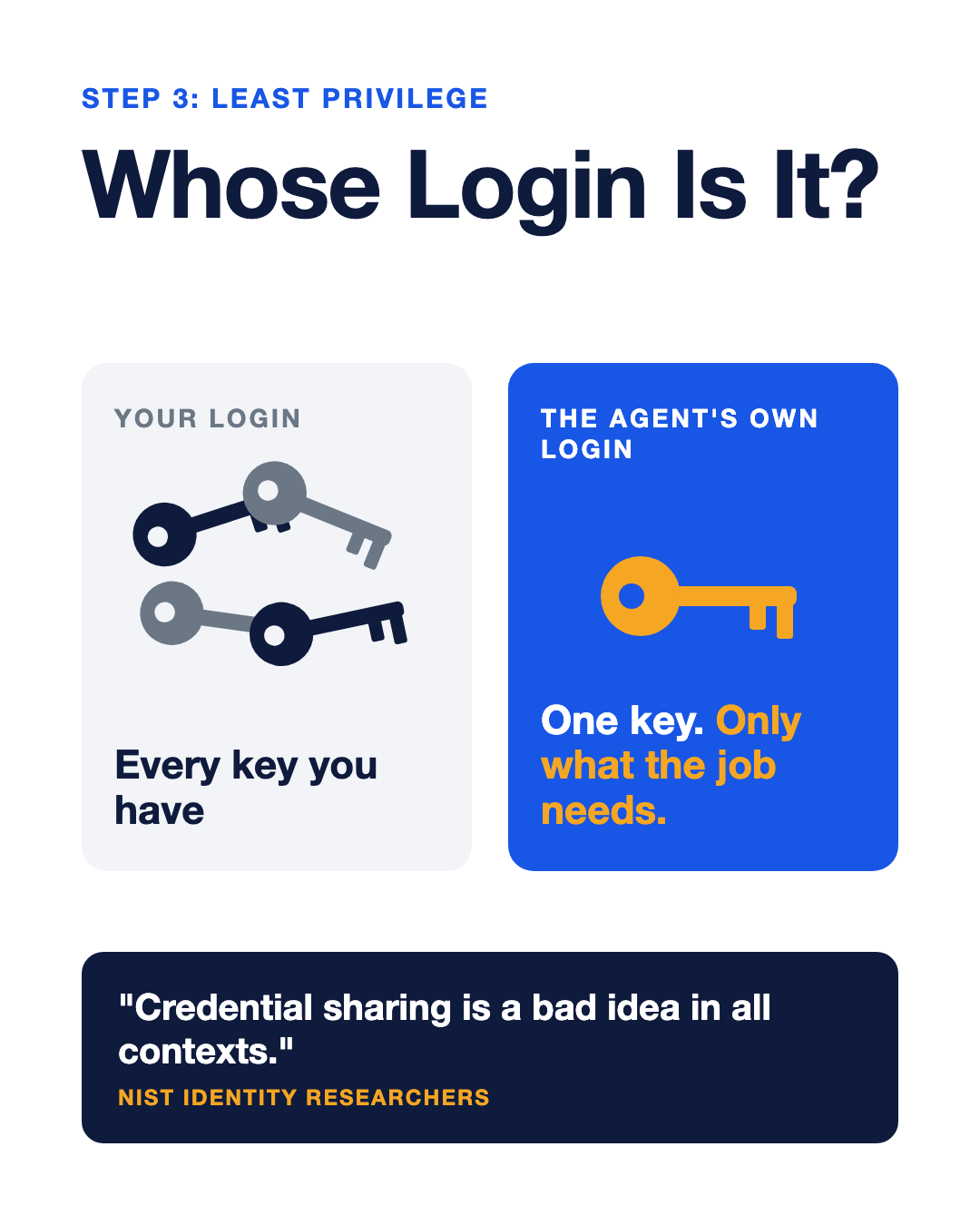
NIST identity researchers are blunt: "Credential sharing is a bad idea in all contexts." They argue an agent should have its own identity and permissions, tied to the person or system that runs it.
OWASP, a nonprofit security community, calls the opposite problem excessive agency: an agent with more functions, more permissions, or more autonomy than its job needs. Its email example will feel familiar to most founders: a tool that reads your inbox to summarize email doesn't need permission to send or delete anything. For our reminder, read-only access to invoices and permission to save a draft are enough.
Step 4: How do you stop the agent from skipping the approval?
Put the approval at the point where the action is actually executed, which might be inside your email or payment application or in a separate approval service that controls access to it.
An approval step only protects the workflow if the agent can't remove it, change its settings, or use a different connection to reach the same action. Check who can edit the workflow and which credentials can execute the final step.
Zack Anderson, J.P. Morgan's chief data and analytics officer for payments and global banking, put it in one line in the bank's payments newsroom: "When agents can move money, authority cannot remain in the prompt."
Then test it, using the reminder as the trial run:
√ Have the agent draft a reminder to a test address you control.
√ Leave the approval request unanswered for a full business day.
√ Check the sent folder and the activity log, where nothing should have gone out.
√ Decline the draft, then check the sent folder again.
√ Ask whoever set it up to show you where the send permission lives.
If the agent can reach the send button some other way, the approval screen is decoration. Anderson's own test is a good one to borrow: ask which action your control would actually have stopped.
Step 5: Who sets up the agent, and who approves its work?
Use two different people for those two jobs. If one person can widen the agent's access, change the approval rule, and approve the payment, there's no independent check on anything. I know that can feel like a lot when there are three of you, but even a three-person team can name a builder and a separate approver.
Accountants call this segregation of duties, which means the person who sets something up isn't the one who signs off on it. COSO's 2026 guidance on generative AI, from the body that publishes the internal-control framework finance teams use, says it directly: "Separate the ability to configure AI settings from the authority to approve or review outputs."
Day to day, that might mean a contractor or your first ops hire sets up the connection and the founder approves what the agent prepares, and if you can't split those roles for a money move yet, keep that move manual until you can.
Name a backup approver too, so a vacation doesn't stall the queue or tempt someone to approve their own work. How to Govern AI Tools Your Team Uses Without You goes deeper on who owns access.
Step 6: What if a payment draft points to a new bank account?
This is the step I'd never skip: hold the payment and call the vendor on a number you already have on file. Here's a second illustration: the agent reads a vendor invoice that asks you to pay a new account, and it prepares the payment with the invoice attached. Your approver sees the changed bank details, looks up the vendor's number in your own records, and calls. The payment stays on hold until that call verifies the change.
The FBI gives the same advice for business email compromise, the scam where someone impersonates a vendor or colleague by email: look up the company's phone number on your own and call to ask if the request is legitimate. An agent that drafts a payment from an email is working from exactly the kind of message a fraudster forges, and a polished draft doesn't make the email honest. So treat any instruction inside an invoice or email as something to inspect, never as permission to change a payee.
Step 7: What happens when nobody answers?
The run stops. Silence isn't approval. Approval requests get missed when everyone's busy, so the system should treat a missed request as a refusal. Set an unanswered request to hold or end and a declined request to stop, then route the open item to a named person to investigate.
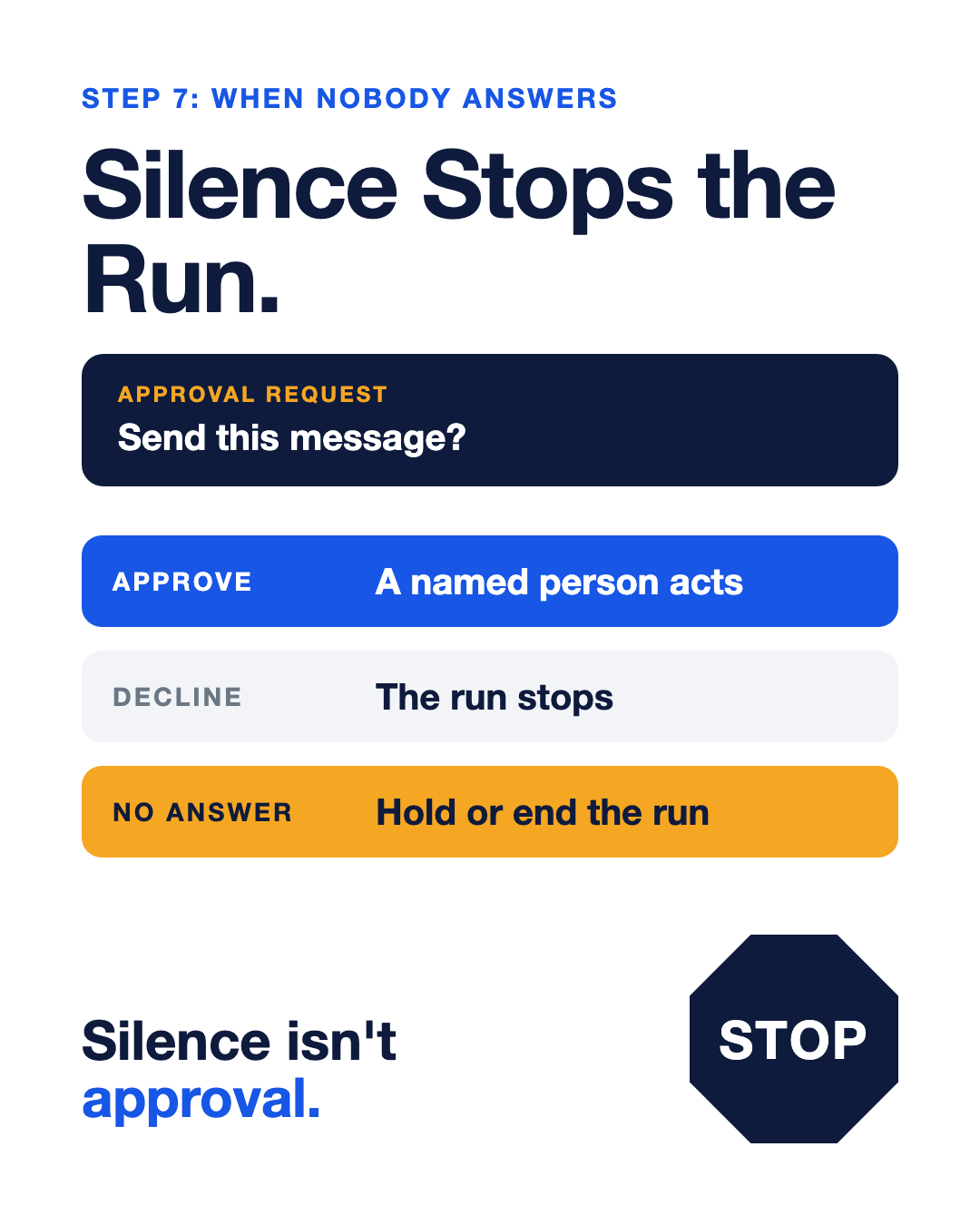
Check this setting. Some tools offer the opposite. Zapier's help page for its Human in the Loop step lists a "Skip and continue" option, under which a run goes ahead when nobody reviews in time, and a "Continue run" option after a decline. It also offers "End run" and "Stop run," and those are the settings I'd pick.
Singapore's framework backs this up by calling for denying action by default when approvers can't be reached. It also suggests watching how often people reject or change what the agent proposes, since a long string of automatic approvals can mean nobody's really reading.
The fix for rubber-stamping is a better approval screen, and NIST's researchers explain why: chatty agents train people to click "allow" without thinking. Put the original bill or invoice, the recipient, the amount, and the reason on the screen. Then reserve approval requests for actions that move money or reach a customer.
Should I use n8n or Zapier for this?
Choose the tool only after you can show where a person stops the action. I haven't found an independent source that compares n8n with Zapier, so I won't rank them. Zapier does document its approval step, as described above. Whichever tool you're weighing, ask how the approval is enforced, what happens on a decline or a timeout, and whether the agent can reach the same action another way.
No-code integration solutions are still your team's responsibility to maintain. Why Your AI Automation Is Not Saving Time Yet covers the upkeep side.
FAQ
How do I automate my startup's back office with AI agents? Pick one job an agent can draft and a person can check, like an overdue-invoice reminder or a receipt match. Give the agent its own narrow access and put the approval in the app that sends or pays. Have a different person approve the work, and make an unanswered request stop the run.
Can an agent send invoice reminders on its own? I wouldn't start there, at least not for messages that reach customers. Let the agent draft the reminder, and have a named person check the invoice and the recipient before it goes out. Your email system should block the send until that person acts.
Should the person who sets up the agent approve its payments? No. COSO's 2026 guidance on generative AI separates the ability to configure AI settings from the authority to approve or review its output. Have a second person check the payee, the amount, and the source before money moves. If your team can't split those roles yet, keep that payment manual.
How do I check a changed bank account on an invoice? Call the vendor on a number you already had, outside the email that sent the new details. Compare the new account with the one you paid before, and hold the payment until your approver has checked it and noted how.
What if the approver never replies? The run should hold or end, so silence never turns into a sent message or a payment. If you use Zapier's approval step, check the decline and timeout settings, because some options allow the run to continue without an answer.
Closing
This week, pick one workflow: an overdue-invoice reminder if you bill customers, or a vendor bill waiting for payment if you're pre-revenue. Draw the line between what the agent drafts and what a person sends or pays. Put the original document on the approval screen, then ask whoever set it up to show you what happens when the approver says no, or says nothing. Your team should be able to own this. If you'd like a second set of eyes on that line, start with a consultation with our team. The Diagnostic comes after that conversation, if you decide to look at the whole system.
Sources
• N2: Aminu Abdullahi, TechRepublic, reporting Anthropic's Claude Duet preview, October 22, 2026. Vendor launch claims relayed by the publisher, not an independent product test.
• N4: Stripe newsroom, Introducing Stripe Treasury for agents, October 21, 2026. Vendor release on account access and founder-selected approval settings.
• D1: OWASP Gen AI Security Project, LLM06:2025 Excessive Agency. Community security guidance on excessive functions, access, autonomy, and downstream authorization. Page date not shown.
• D2: CISA and allied agencies, joint guidance release, May 1, 2026. Full guidance on the Australian Cyber Security Centre site. Written for large organizations and critical systems.
• D3: Singapore IMDA, Model AI Governance Framework for Agentic AI, version 1.5, updated June 5, 2026. Voluntary framework on autonomy and human review.
• D4: Bill Fisher and Ryan Galluzzo, NIST Cybersecurity Insights blog, August 27, 2026. Staff views on agent identity and approval fatigue, not a binding standard.
• D5: COSO, Achieving Effective Internal Control Over Generative AI, 2026. Separation of configuration and approval, written for organizations with formal controls.
• D6: FBI, Business Email Compromise. Business fraud guidance, not agent-specific. No page date asserted.
• D8: Zapier Help Center, Request approval to keep your workflow running with Human in the Loop, updated October 26, 2026. Vendor documentation, not a tool comparison or plan-availability claim.
• D11: Zack Anderson, J.P. Morgan Payments newsroom opinion, September 29, 2026. Bank executive's view on enforced payment authority, not independent guidance.
About MATAX
An AI-native accounting and back-office firm for startups, MATAX is based in San Francisco. We design and build the accounting and automation systems startups grow on, and your team owns them. Founded in 2006 and 100% Xero since 2012, we've worked with 1,000+ startups, from pre-revenue to Series B. Xero Partner of the Year 2017 and 2018. Xero Advisory Innovator of the Year 2025 and 2026. Start a conversation at mataxhq.com.
About the author
Dawn Hatch is the firm's Founding Partner and CEO. She works directly with founders on the accounting and operating systems their startups run on, and writes about the real work behind a startup's back office.
